
Make the workspace comfortable
Choose your appearance, reply language and personal preferences, and understand chat history.
Use it for
- Use a larger, more comfortable reading size
- Choose the language for replies
- Understand temporary and saved chats
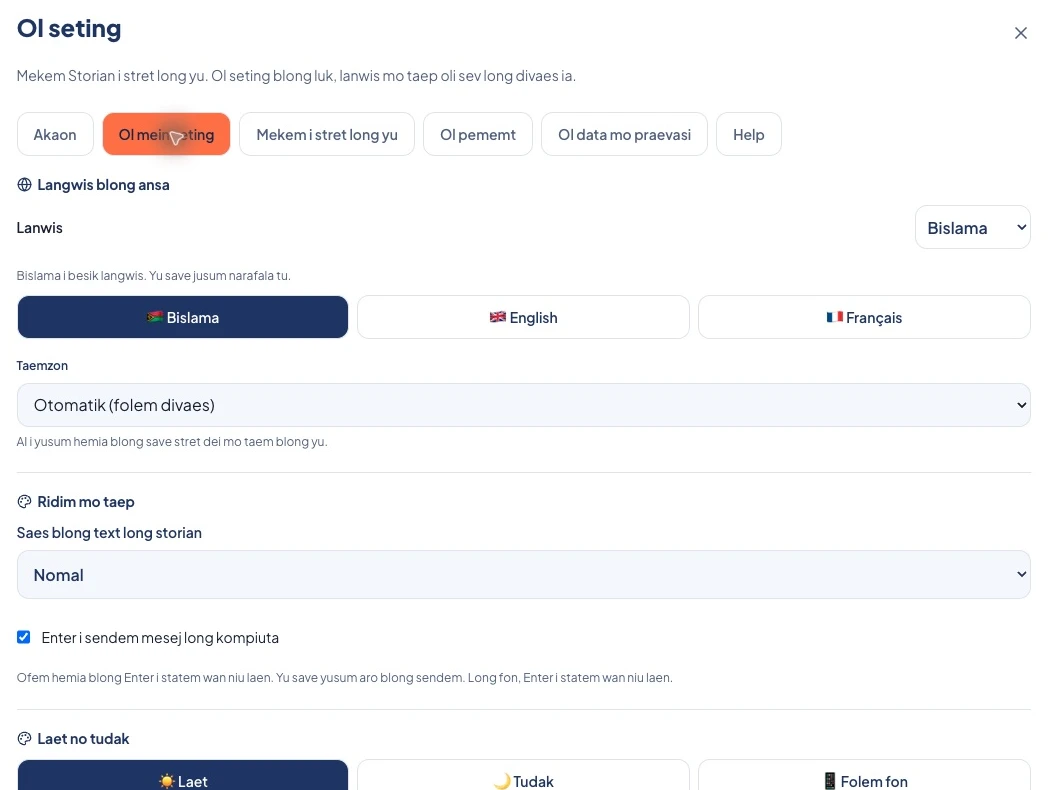
- 1General: appearance and typing
- 2Personalisation: useful background
- 3Data & privacy: understand saved data
How to use it
- 1
Open Settings
Use the sidebar or your profile button. The settings page groups account, general, personalisation, billing, privacy and help options.
- 2
Adjust your preferences
Change the available theme, reading or typing preferences. Choose your reply language. Some preferences are stored on this device, so check them on a new device.
- 3
Review personalisation and memory
In Personalisation, add useful background or preferences for replies. Where AI memory is available, review and edit the saved summary, or clear it using the memory controls. Do not assume that every previous conversation is included.
- 4
Understand temporary chat
The ghost control in Chat starts a temporary conversation. It does not save message text in your chat history; it is not a promise that no service processing or operational records exist.
- 5
Review privacy information
Read Data & privacy and the privacy policy for the current product. Avoid adding sensitive information to personalisation that you do not need the assistant to use.
Good to know
- A new chat is not automatically a temporary chat: check the ghost indicator.
- Changing the interface language does not translate old messages.
- Account settings and local browser preferences may be stored differently.