
Create images and video
Describe a visual idea for a poster, illustration or short video and review the result.
Use it for
- Make a visual for a community event
- Create an illustration for a lesson
- Prepare a short business announcement video
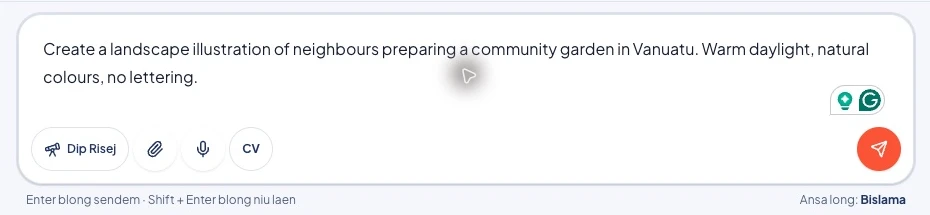
- 1Message: describe the visual
- 2Script: review before approving a video
- 3Completed result: preview and download
How to use it
- 1
Describe the idea
In Chat, specify whether you want an image or video. Include the subject, setting, style, orientation and how you will use it.
- 2
Review a video script first
Ask to see the script and scene plan before generation. Check names, spoken wording and any displayed text, then give clear approval to generate.
- 3
Allow the job to finish
Generation can take time and uses the relevant plan allowance. Keep the result open while it processes; avoid repeated requests while the same job is running.
- 4
Inspect and download
Preview the completed output. Check faces, spelling, branding and spoken details. Download the result when it is ready.
Try a request like this
“Create a landscape illustration of neighbours preparing a community garden in Vanuatu. Warm daylight, natural colours, no lettering or logos.”
Adapt the names, dates and details before sending. Example requests do not run automatically.
Good to know
- Availability and limits depend on your plan; check Pricing before starting.
- Generated pictures and video can contain visual or spelling errors. Add precise final text separately when needed.
- If a job reports a failure, read the message before starting another generation.